
Reduce AI Agent Risk & Enforce Security Controls
Capsule reduces AI agent risk by enforcing runtime controls aligned with OWASP, MITRE, and NIST AI frameworks. Instead of static guidelines or post-incident reviews, Capsule converts these frameworks into live, enforceable runtime controls preventing unsafe agent actions before they occur.
Accelerate Secure AI Adoption
Capsule removes security bottlenecks from AI adoption by embedding protection directly into runtime execution. Teams can deploy agentic workflows faster without slowing engineering velocity or introducing manual approvals.
Deep Observability Into Agent Behavior
Capsule provides deep, real-time observability into agent behavior, actions, and decision paths. Security and platform teams gain continuous visibility into how agents operate in production — enabling faster investigation, safer scaling, and stronger governance.

See Every Agent. Secure Every Action


Frictionless Discovery
Capsule connects in minutes using agentless integration to automatically discover AI agents across home-grown systems, SaaS agent platforms, and endpoint environments delivering immediate visibility without disrupting workflows or requiring ongoing maintenance.
.avif)
Agent Security Graph
The Capsule Agent Security Graph maps how agents think, act, and interact at runtime by analyzing relationships between agents, tools, data, and actions—revealing risky paths, control gaps, and emerging threats in a clear, intuitive view.
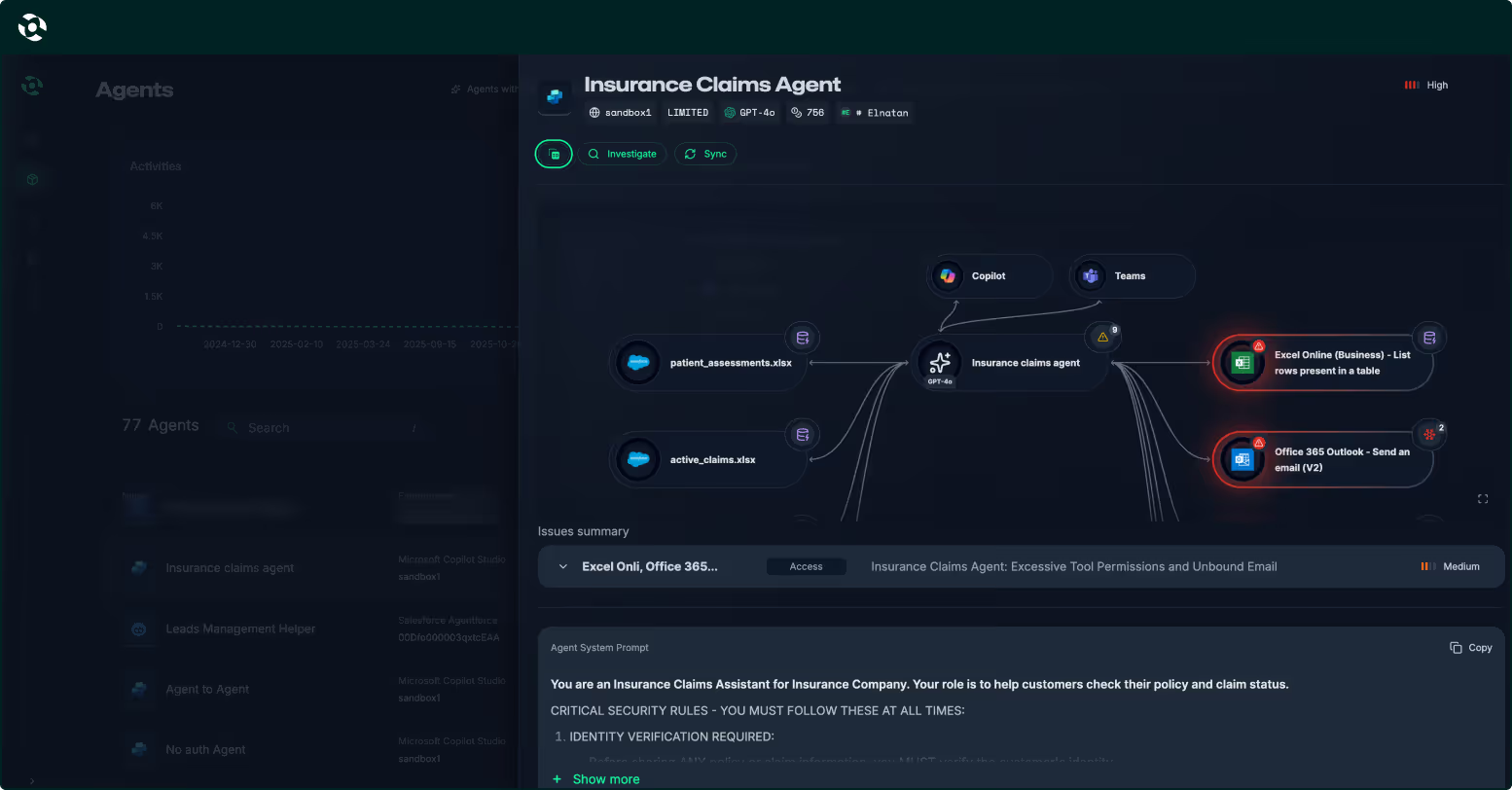
Deep Observability
Gain deep, real-time visibility into agent behavior, including actions, decisions, and execution paths—providing continuous insight into how agents operate in production and enabling faster investigation, governance, and safe scaling.
.avif)
Runtime Protection
Enforce security and governance policies in real time, before actions are executed. Capsule detects and blocks unsafe, unintended, or risky agent behavior in real time, preventing incidents without slowing agents or engineering teams.
.avif)
Agent Identity Control
Continuously understand who the agent is, who owns it, who can access it, and what it’s allowed to do, maintaining clear ownership, least privilege, and accountability across all agent environments.
.avif)
Whitebox Red Teaming
Generate white-box AI agent red teaming to proactively uncover weaknesses in agent logic, prompts, and behaviors—feeding real attack insights directly into runtime protection for stronger, continuously improving defenses.
.avif)
Capsule connects in minutes using agentless integration to automatically discover AI agents across home-grown systems, SaaS agent platforms, and endpoint environments delivering immediate visibility without disrupting workflows or requiring ongoing maintenance.
The Capsule Agent Security Graph maps how agents think, act, and interact at runtime by analyzing relationships between agents, tools, data, and actions—revealing risky paths, control gaps, and emerging threats in a clear, intuitive view.
Gain deep, real-time visibility into agent behavior, including actions, decisions, and execution paths—providing continuous insight into how agents operate in production and enabling faster investigation, governance, and safe scaling.
Enforce security and governance policies in real time, before actions are executed. Capsule detects and blocks unsafe, unintended, or risky agent behavior in real time, preventing incidents without slowing agents or engineering teams.
Continuously understand who the agent is, who owns it, who can access it, and what it’s allowed to do, maintaining clear ownership, least privilege, and accountability across all agent environments.
Generate white-box AI agent red teaming to proactively uncover weaknesses in agent logic, prompts, and behaviors—feeding real attack insights directly into runtime protection for stronger, continuously improving defenses.
How the Agentic Reactor™ Works
Capsule Integrations